> ## Documentation Index
> Fetch the complete documentation index at: https://aicofounder.com/docs/llms.txt
> Use this file to discover all available pages before exploring further.
# Quickstart
> Get started with ai cofounder in minutes. Create your first project, describe what you want to build, and get a strategic plan from your AI cofounder.
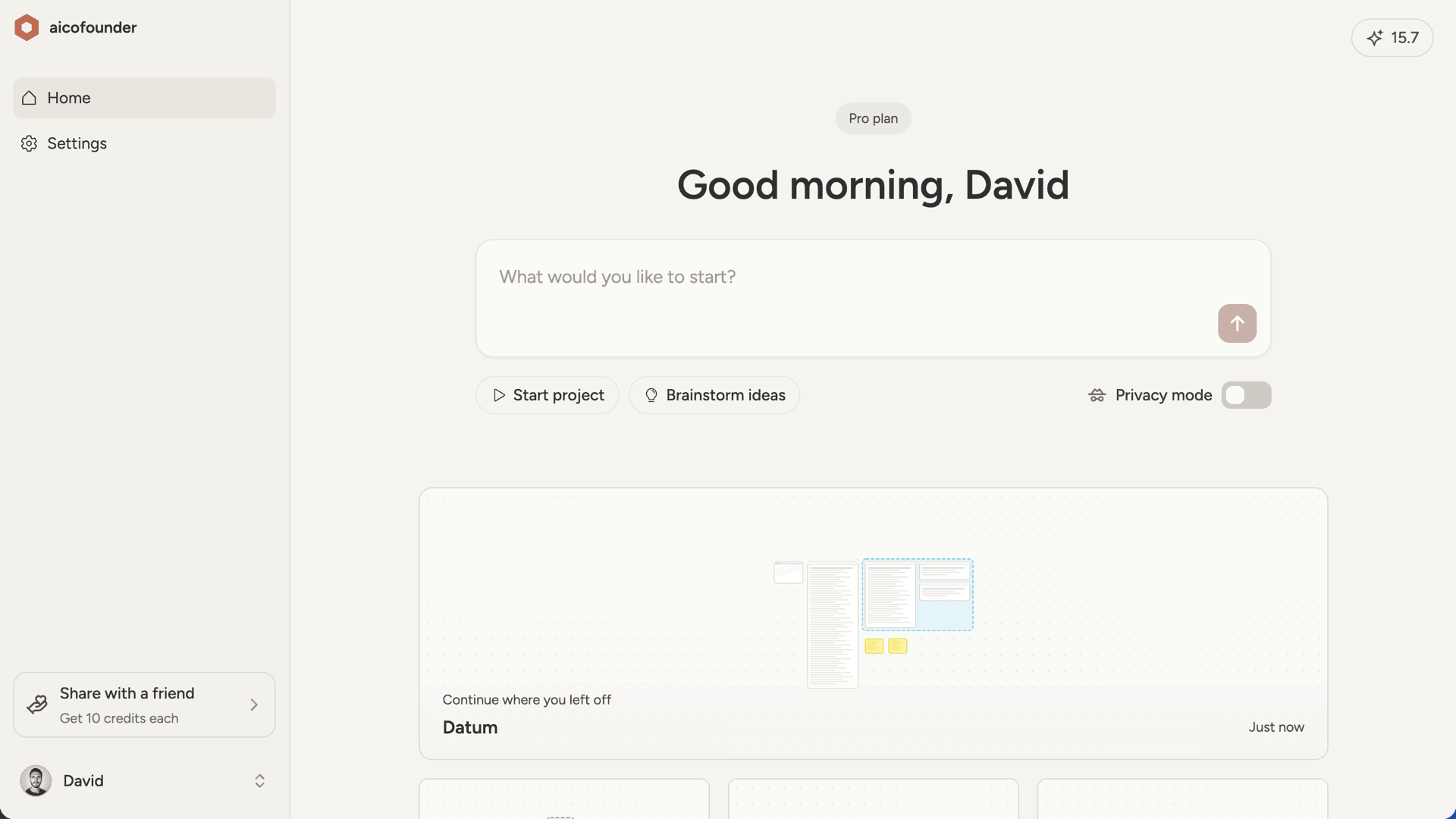
After signing up, you land on the dashboard. This is where you start new projects and return to existing ones.
## Starting a project
Type what you want to build or explore in the prompt field and hit send. This creates a new project and opens the workspace where you'll work with your AI cofounder.
If you're not sure what to write, use one of the quick-start buttons:
* **Start project** - If you have an idea in mind, even a rough one
* **Brainstorm ideas** - If you want to discover problems worth solving first
 ## The first conversation
When you start a new project, your AI cofounder takes the lead. It needs to understand your situation before it can plan effectively, so the first conversation focuses on gathering context.
Here's what to expect:
## The first conversation
When you start a new project, your AI cofounder takes the lead. It needs to understand your situation before it can plan effectively, so the first conversation focuses on gathering context.
Here's what to expect:
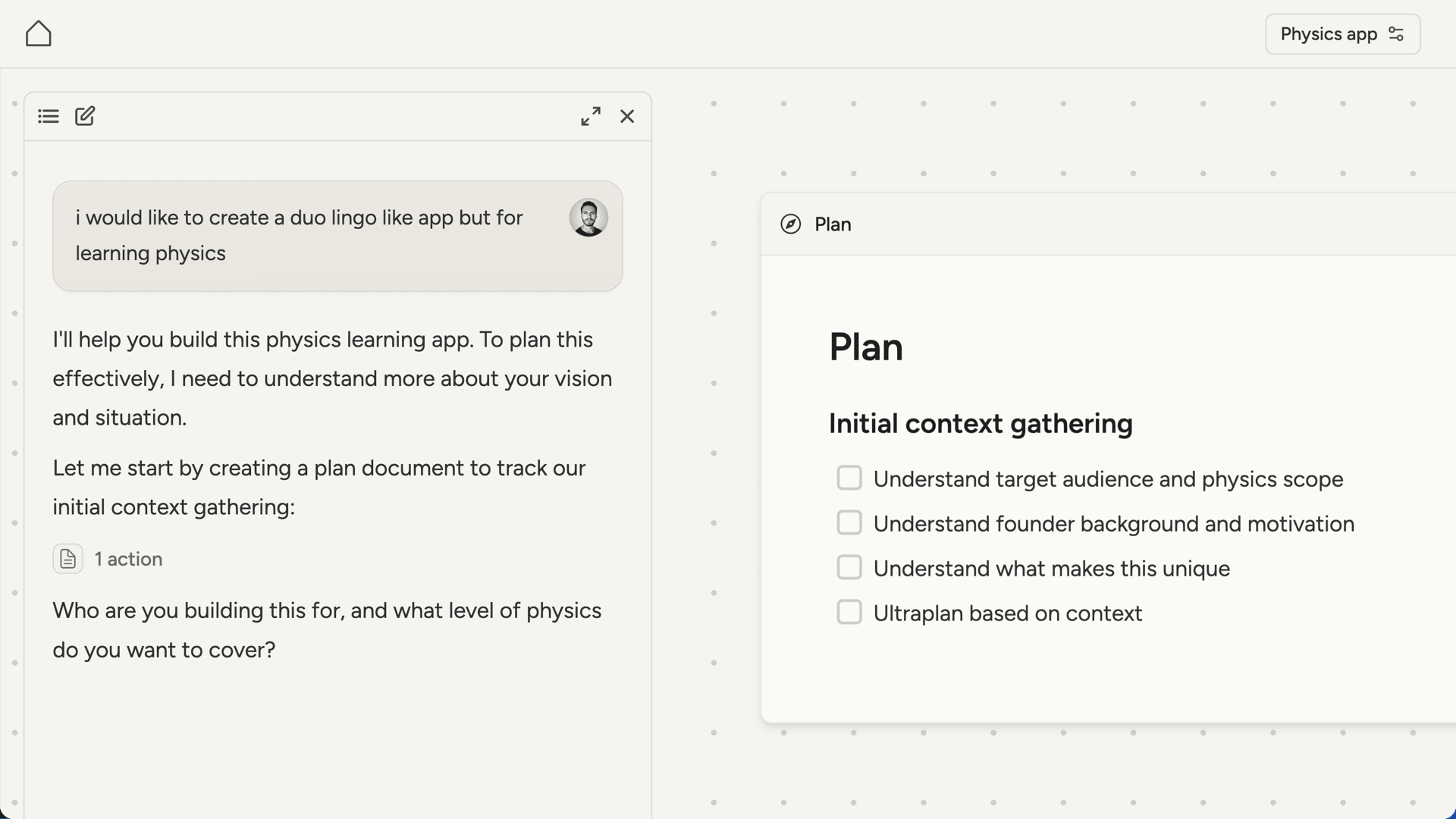 1. **A plan document appears on the canvas.** This tracks the initial context-gathering tasks.
2. **One question at a time.** The AI asks focused questions about what you're building, who it's for, and what you already know. Answer with as much detail as you have.
3. **Information gets captured.** As you share details, the AI creates documents on the canvas to record what it learns. This becomes the foundation for everything that follows.
4. **[Ultraplan](/ultraplan) kicks in.** Once the AI has enough context, it does deep strategic thinking to identify what's actually blocking progress and creates a plan to address it.
5. **You review together.** The AI walks you through its recommendations before committing anything. You discuss, adjust if needed, and align on the path forward.
This initial phase is usually quick. The AI keeps it focused on the essentials so you can start making progress.
## What's next
From here, you work through the plan together. Depending on what you're building, that might involve:
* [Research](/research) to investigate markets, competitors, regulations, or sourcing
* [Building a website](/websites) to validate your idea or start selling
* Working through decisions about features, positioning, or pricing
As each phase completes, the AI reassesses what's blocking progress and plans the next one. The canvas builds into a full picture of your product over time.
For more on how the workspace functions, see [Canvas](/canvas).
1. **A plan document appears on the canvas.** This tracks the initial context-gathering tasks.
2. **One question at a time.** The AI asks focused questions about what you're building, who it's for, and what you already know. Answer with as much detail as you have.
3. **Information gets captured.** As you share details, the AI creates documents on the canvas to record what it learns. This becomes the foundation for everything that follows.
4. **[Ultraplan](/ultraplan) kicks in.** Once the AI has enough context, it does deep strategic thinking to identify what's actually blocking progress and creates a plan to address it.
5. **You review together.** The AI walks you through its recommendations before committing anything. You discuss, adjust if needed, and align on the path forward.
This initial phase is usually quick. The AI keeps it focused on the essentials so you can start making progress.
## What's next
From here, you work through the plan together. Depending on what you're building, that might involve:
* [Research](/research) to investigate markets, competitors, regulations, or sourcing
* [Building a website](/websites) to validate your idea or start selling
* Working through decisions about features, positioning, or pricing
As each phase completes, the AI reassesses what's blocking progress and plans the next one. The canvas builds into a full picture of your product over time.
For more on how the workspace functions, see [Canvas](/canvas).