
Choosing a subdomain
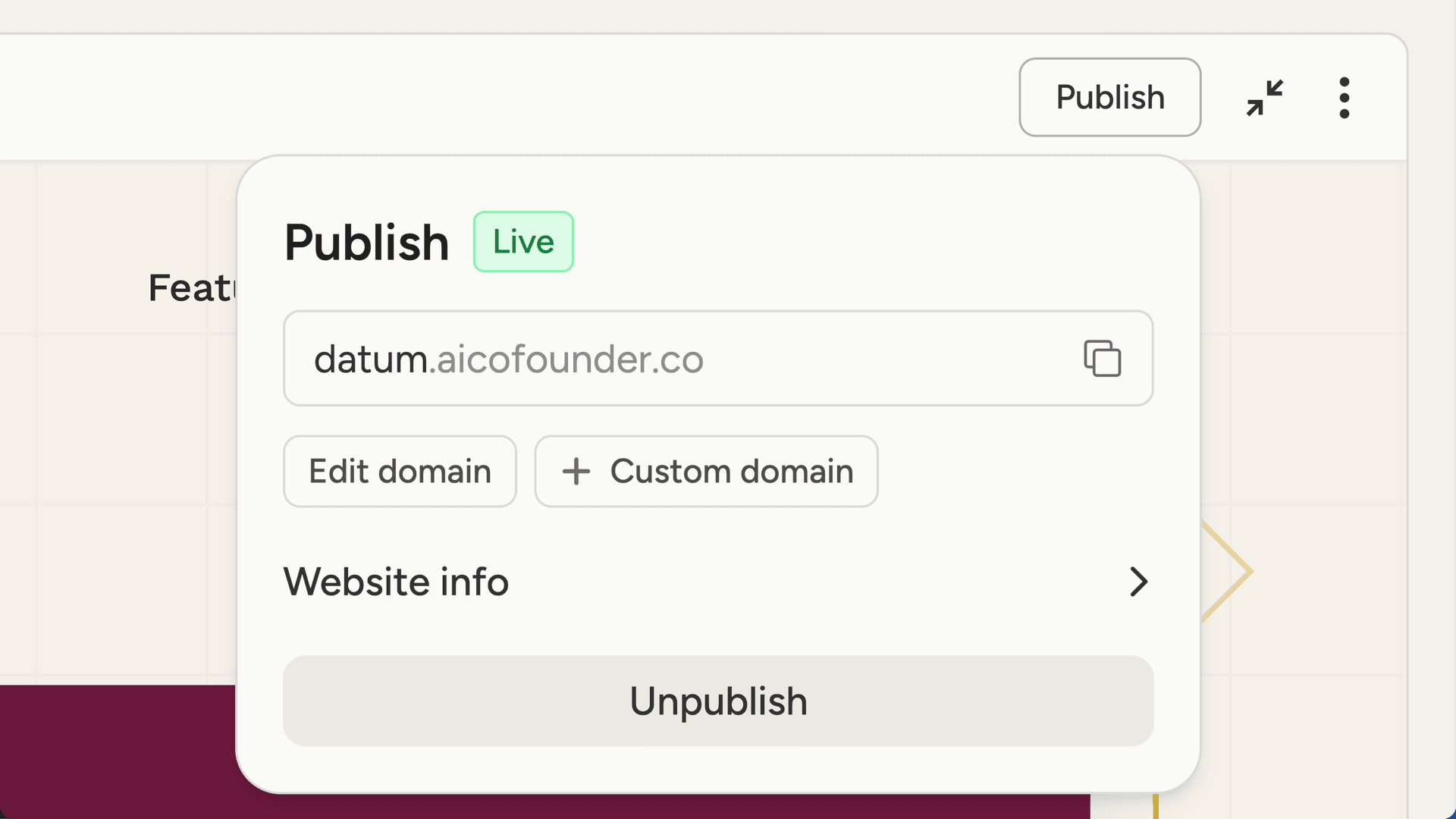
Every published website gets a subdomain at aicofounder.co. For example, if your project is called “Sunrise Coffee”, your site might be atsunrise-coffee.aicofounder.co.
The subdomain is generated from your project name by default, but you can edit it to whatever you’d like. Subdomains can only contain lowercase letters, numbers, and hyphens.
Click Edit domain to change your subdomain before or after publishing.
Website info
Expand the Website info section to configure how your site appears in search results and when shared on social media. Title - the page title that appears in browser tabs and search results. Description - a brief summary shown in search results and social previews. Favicon - the small icon that appears in browser tabs. Upload an image file (PNG, JPG, ICO, or SVG). Share image - the preview image shown when your site is shared on social media or messaging apps. Upload an image, ideally 1200x630 pixels.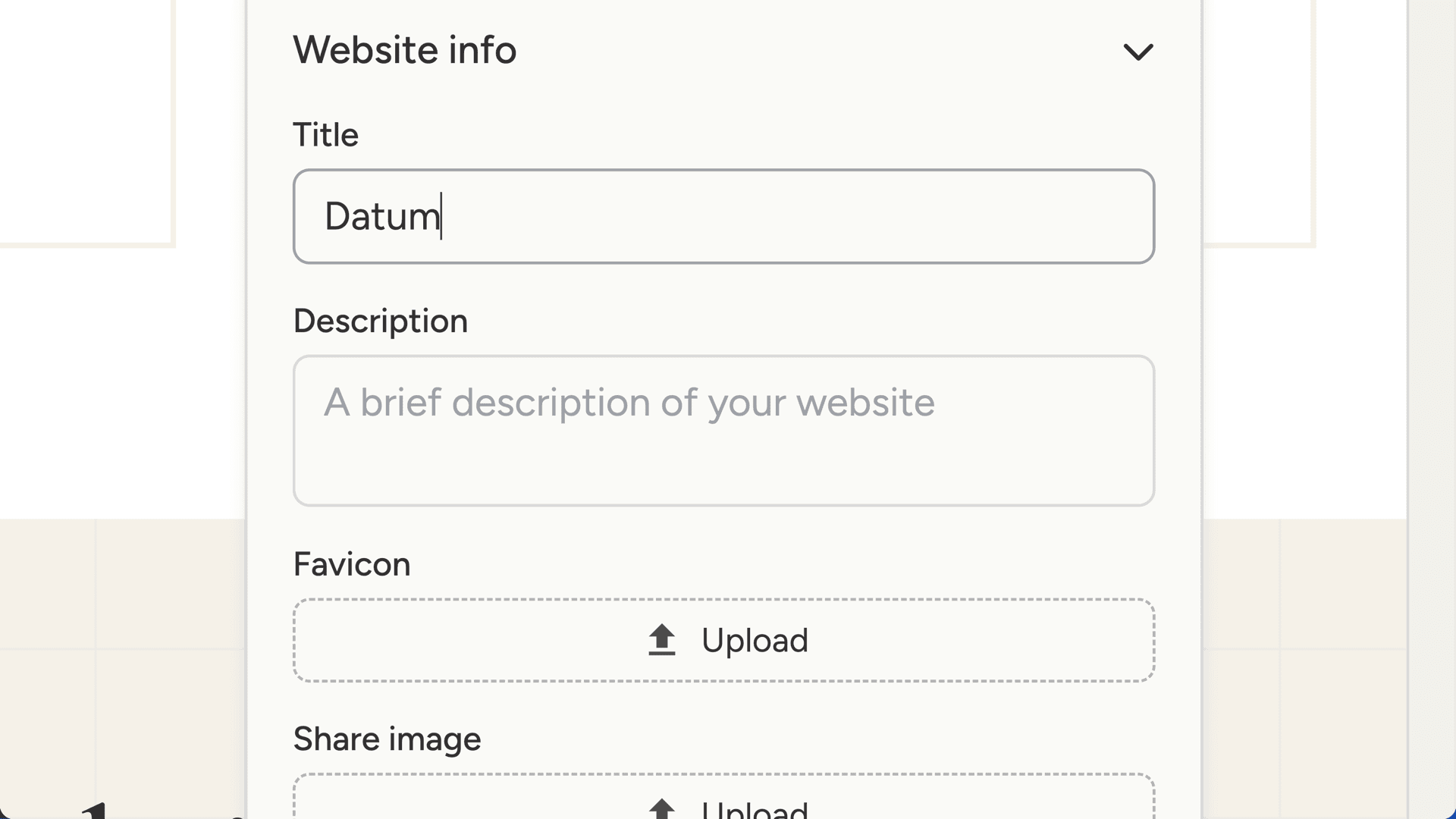
Going live
Click Publish to make your site live. The status badge changes from “Draft” to “Live”, and your site becomes accessible at its subdomain. To update a published site, make your changes and click Update. The changes go live immediately. To take your site offline, click Unpublish. The site becomes inaccessible, but your work is preserved and you can republish anytime.Custom domains
With a Pro or Max plan, you can connect your own domain to your website instead of using an aicofounder.co subdomain. Click Custom domain in the publishing panel to get started. Enter your domain (likewww.yoursite.com or yoursite.com) and you’ll see DNS instructions.
Setting up DNS
You’ll need to add a DNS record with your domain registrar. The publishing panel shows exactly what record to add and guides you through the process for common registrars.
After adding the DNS record, verification usually takes a few minutes but can take up to 48 hours depending on your registrar.
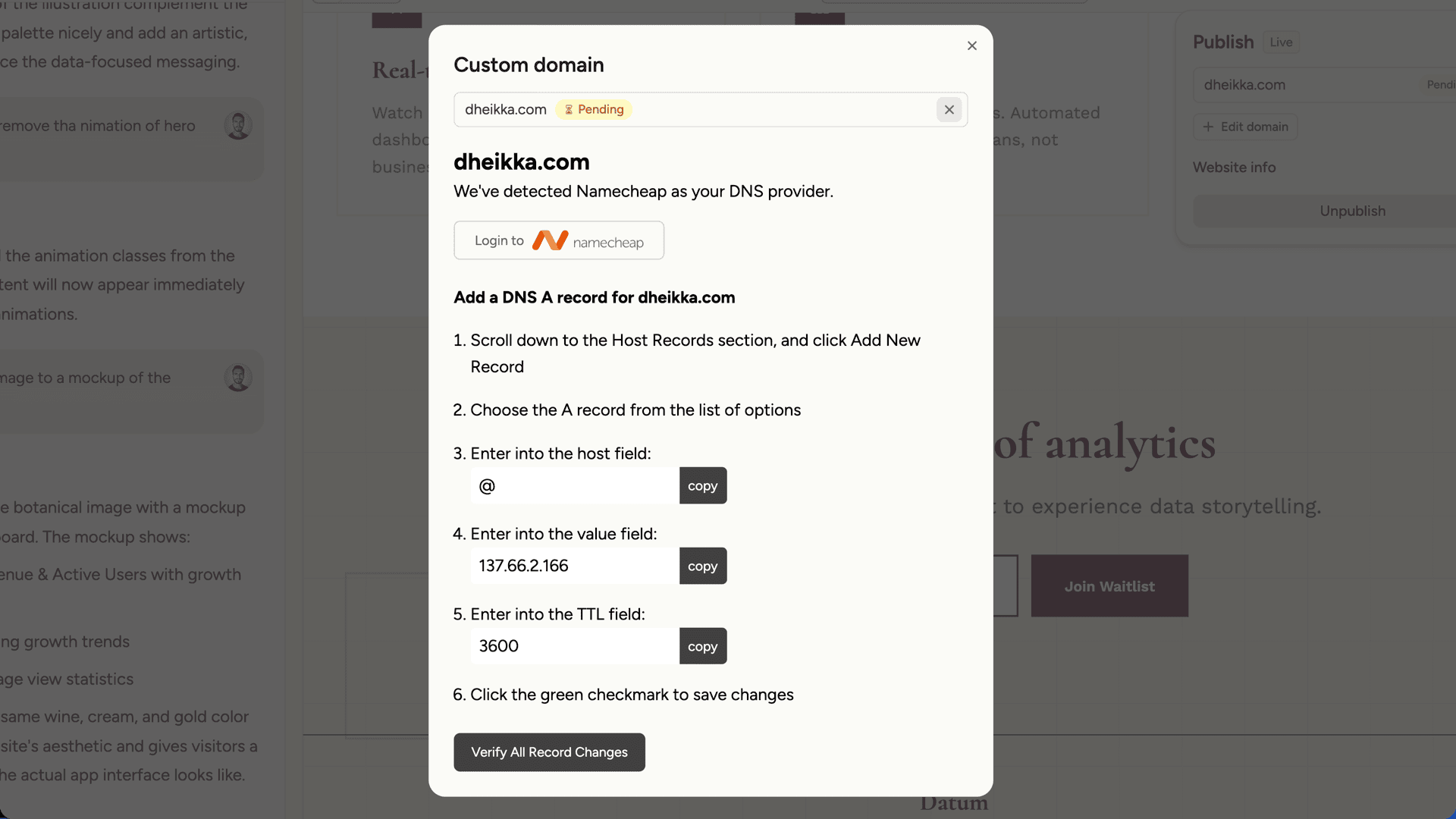
- Active - your custom domain is working and SSL is configured
- Verifying - DNS is correct and SSL is being provisioned
- Pending - waiting for DNS changes to propagate
- Error - something went wrong; check the DNS configuration